ChangeIt: exchanging USDT TRC20 for Ukrainian card payouts
ChangeIt review for USDT TRC20 payouts to Privat24 and Monobank: compare final UAH amounts, its 4% platform fee, limits, KYC rules and daily payout hours.

Exchanger Guides Writer
Claire WhitfieldI write for people who want to understand an exchange before they send the money, not after.
9 min read
ChangeIt is an online exchanger for buying and selling crypto through
Ukrainian bank cards, with a separate service for selected cash
deals.
Its listed assets include  Bitcoin,
  Ethereum,
  Tether, Litecoin, Dogecoin and
Dash, while payout options include
Tether, Litecoin, Dogecoin and
Dash, while payout options include  Privat24,
  Monobank and cards issued by
other Ukrainian banks. The website handles crypto sales for UAH and card
purchases of crypto; cash orders are arranged separately in Telegram. For card
transactions, the expected payout, applicable fees and permitted range can all
be checked before an order is funded.
Monobank and cards issued by
other Ukrainian banks. The website handles crypto sales for UAH and card
purchases of crypto; cash orders are arranged separately in Telegram. For card
transactions, the expected payout, applicable fees and permitted range can all
be checked before an order is funded.
How much UAH does ChangeIt quote before you send USDT?
The exchange widget shows the asset, network, amount sent and expected hryvnia
payout in one calculation. A quote for 200 USDT on TRC20, for example, showed
8,531.08 UAH. ChangeIt states that commissions are included in this figure, so
the useful comparison is the final UAH amount rather than an advertised rate
viewed without its costs.
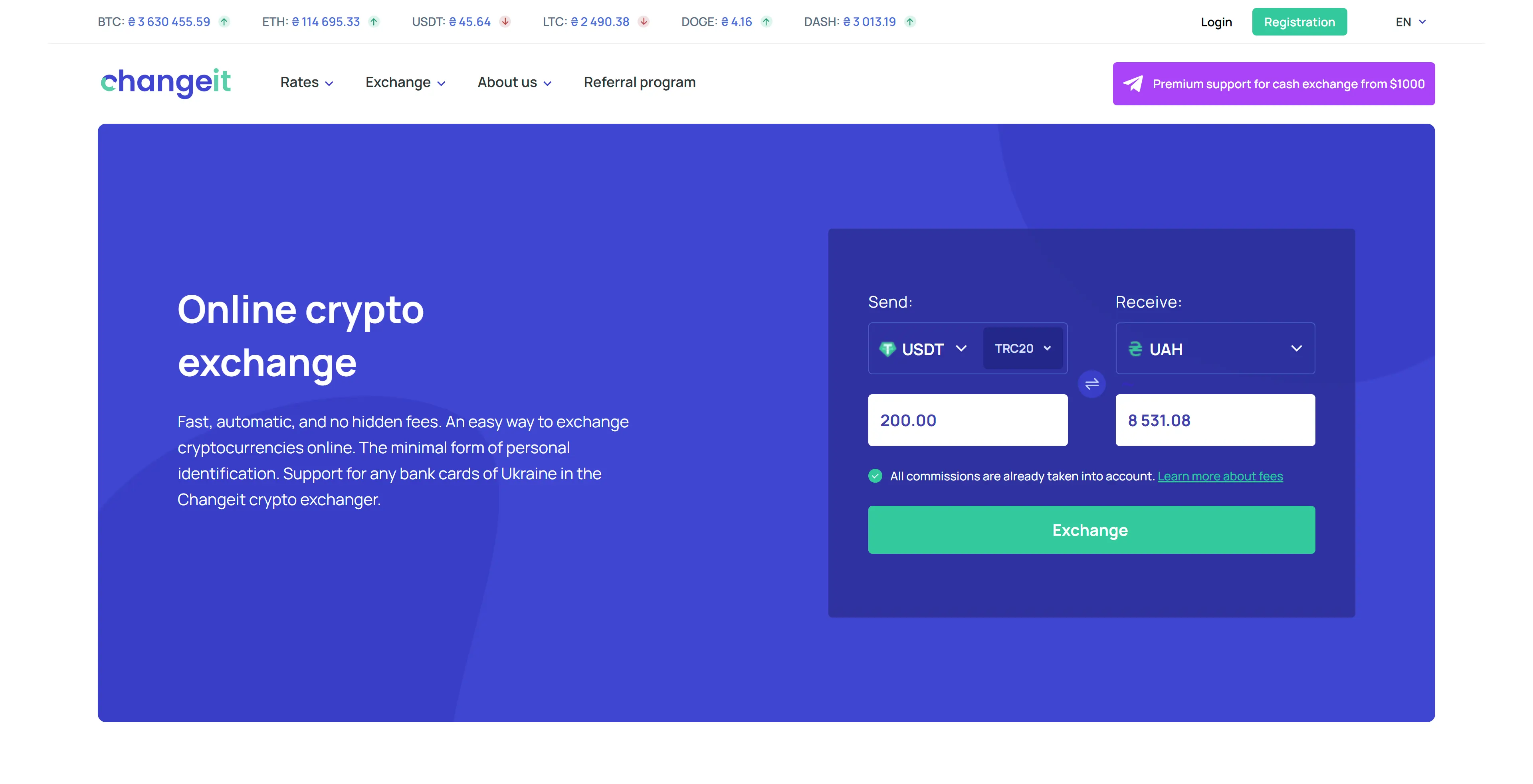
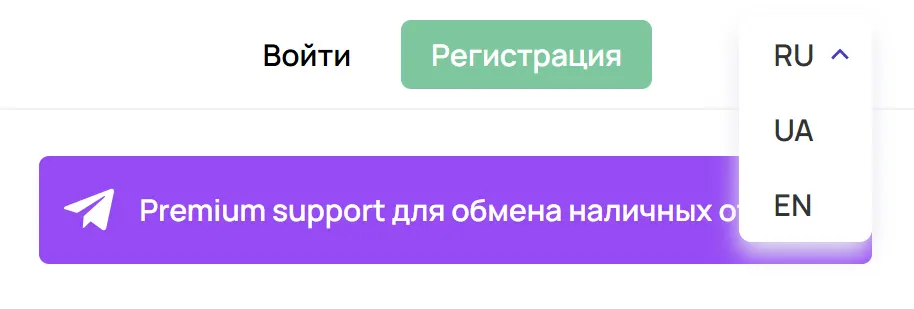
The website is available in English, Ukrainian and Russian. Cash operations from 1,000 USD use a dedicated Telegram channel, while card orders start in the main exchange widget.
Rates and reserves move, so check the live
USDT TRC20 to Privat24 offers
before creating an order. That comparison shows how many hryvnias ChangeIt and
other exchangers currently offer for the same USDT amount.
What stands out about ChangeIt's terms and service?
Pros
- Live Privat24 and Monobank routes, plus reverse UAH-to-USDT options
- Published platform, network and UAH card limits
- A three-stage card order with a QR code and one-transaction rule
- English, Ukrainian and Russian interfaces with published payout hours
Cons
- A 4% platform fee (minimum 50 UAH) plus applicable network charges
- Profile KYC and the right to refuse an order without explanation
- Conflicting 0.2% and 1% figures on the referral page
- Cash orders use a separate support channel and start near 1,000 USD
Which Ukrainian banks does ChangeIt support?
Current ChangeIt routes include Privat24, Monobank,  Visa or Mastercard UAH
cards,
Visa or Mastercard UAH
cards,  Oschadbank,
  PUMB,
PUMB,  Raiffeisen Bank and other Ukrainian banks.
Supported crypto includes BTC, ETH,
Raiffeisen Bank and other Ukrainian banks.
Supported crypto includes BTC, ETH,  LTC,
LTC,  DOGE, DASH, USDT TRC20 and USDT
ERC20. Reverse routes are also available for buying crypto with UAH from a
bank card.
DOGE, DASH, USDT TRC20 and USDT
ERC20. Reverse routes are also available for buying crypto with UAH from a
bank card.
Live rates and reserves are available on these useful route pages:
If a bank does not appear in the table, it has no fresh offer with a live rate and reserve at that moment. Choose another payout method or check the route again later.
What fees and limits apply at ChangeIt?
ChangeIt lists a 4% platform commission per transaction, with a minimum charge of 50 UAH. Some assets also carry separate deposit or withdrawal charges. Their size depends on the currency and network, so the total cost is specific to the route selected.
| Condition | Published value |
|---|---|
| Platform commission | 4%, minimum 50 UAH |
| USDT TRC20 withdrawal |
1 USDT |
| USDT ERC20 withdrawal |
0.4 USDT, dynamic |
| One order | 2,000–50,000 UAH equivalent |
| One bank card | Up to 150,000 UAH per month |
The fee page separately lists 2.41% for UAH deposits and 2.43% for UAH withdrawals. These figures should not simply be added to the 4% line: the final receive amount for the chosen sum and bank is the practical measure of the deal.
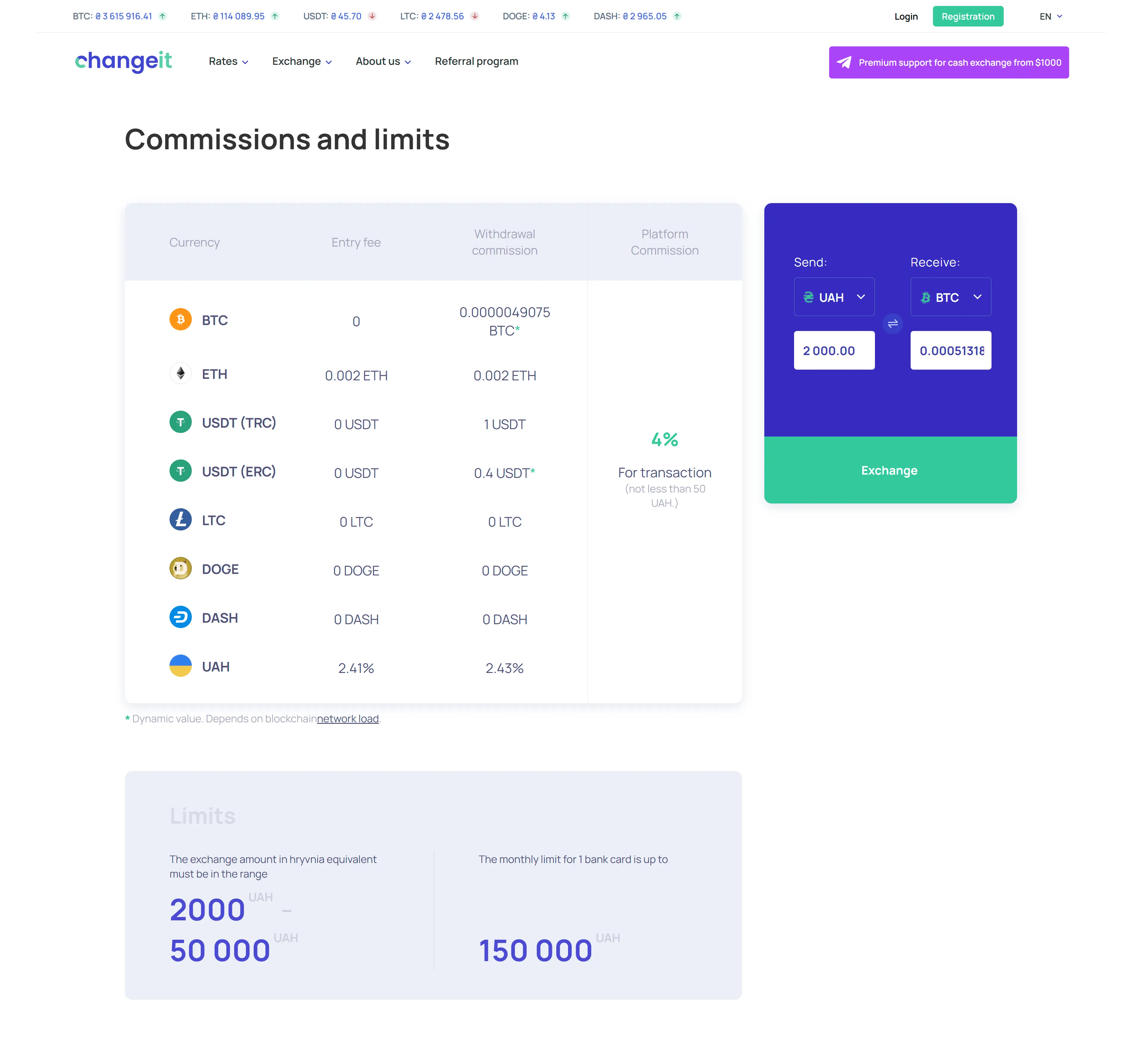
An amount above 50,000 UAH must be discussed with support or divided into several orders. Confirm the arrangement before splitting a payment because the monthly 150,000 UAH limit still applies to each bank card.
Compare the exact UAH payout for the same 200, 500 or 1,000
How do you exchange USDT TRC20 to a card with ChangeIt?
A card order has three stages: enter the receiving card, verify the quote,
then transfer USDT to the address issued for that order. ChangeIt first asks
for the Visa or Mastercard number that should receive the hryvnias.
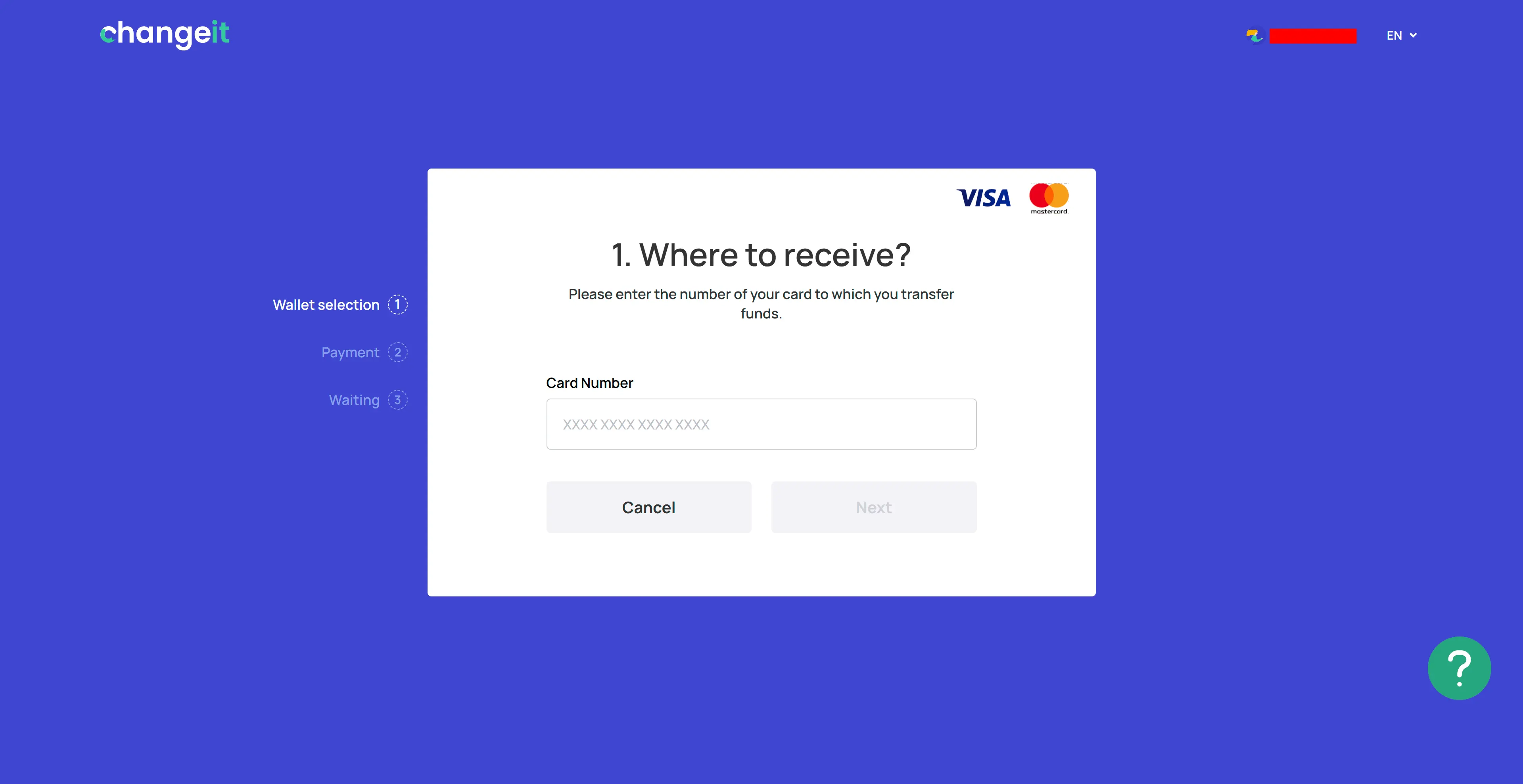
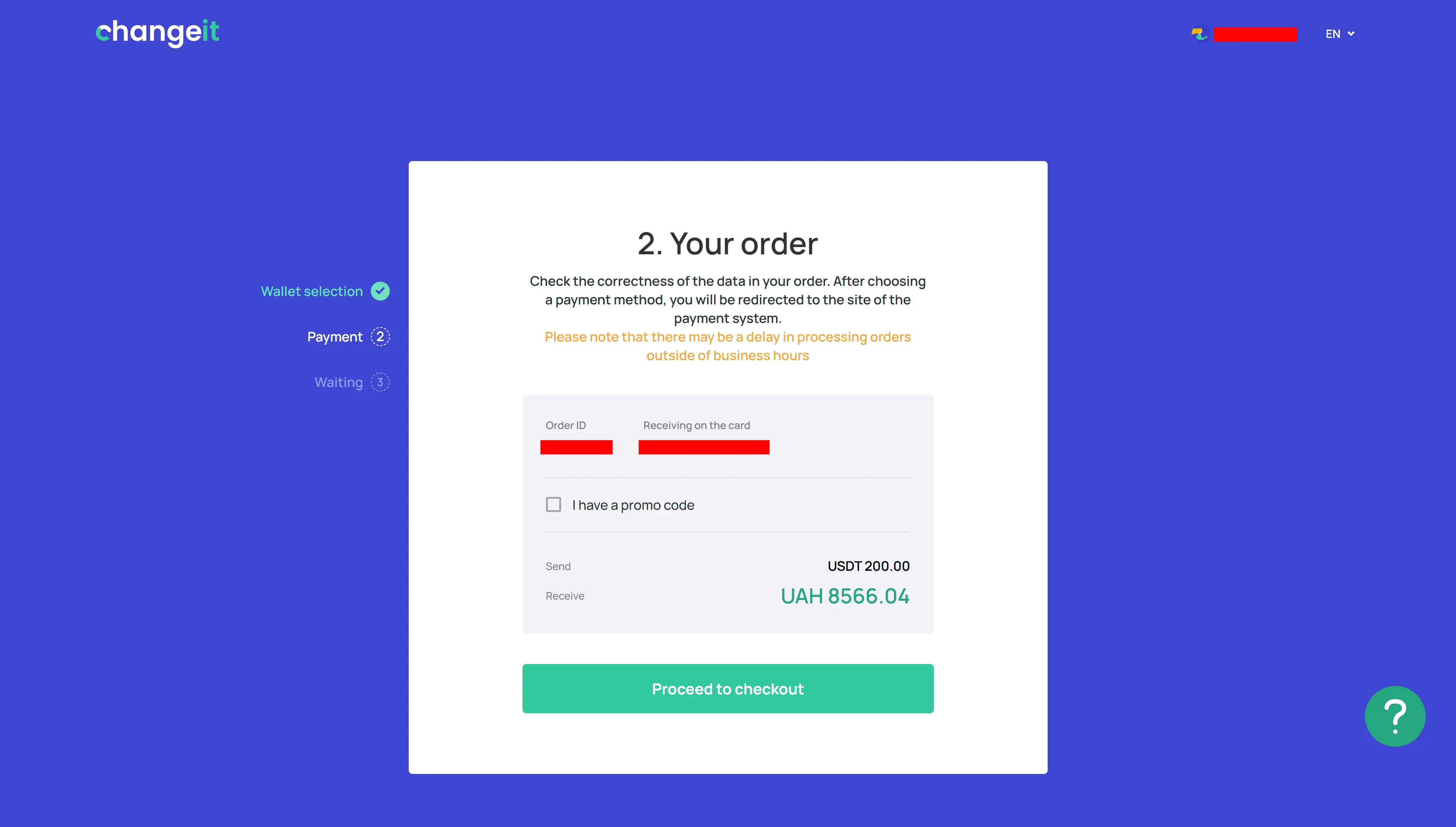
The next screen is the point to recheck the card, USDT amount and final UAH
payout. A confirmed order for 200 USDT showed 8,566.04 UAH, which differed
from the earlier homepage calculation. Do not fund the order until its final
figures and recipient details are correct.
At checkout, ChangeIt supplies a QR code, wallet address and the exact amount
of 200 USDT. Send that amount in one transaction, copy the address only from
the active order and do not reuse it for a later payment.
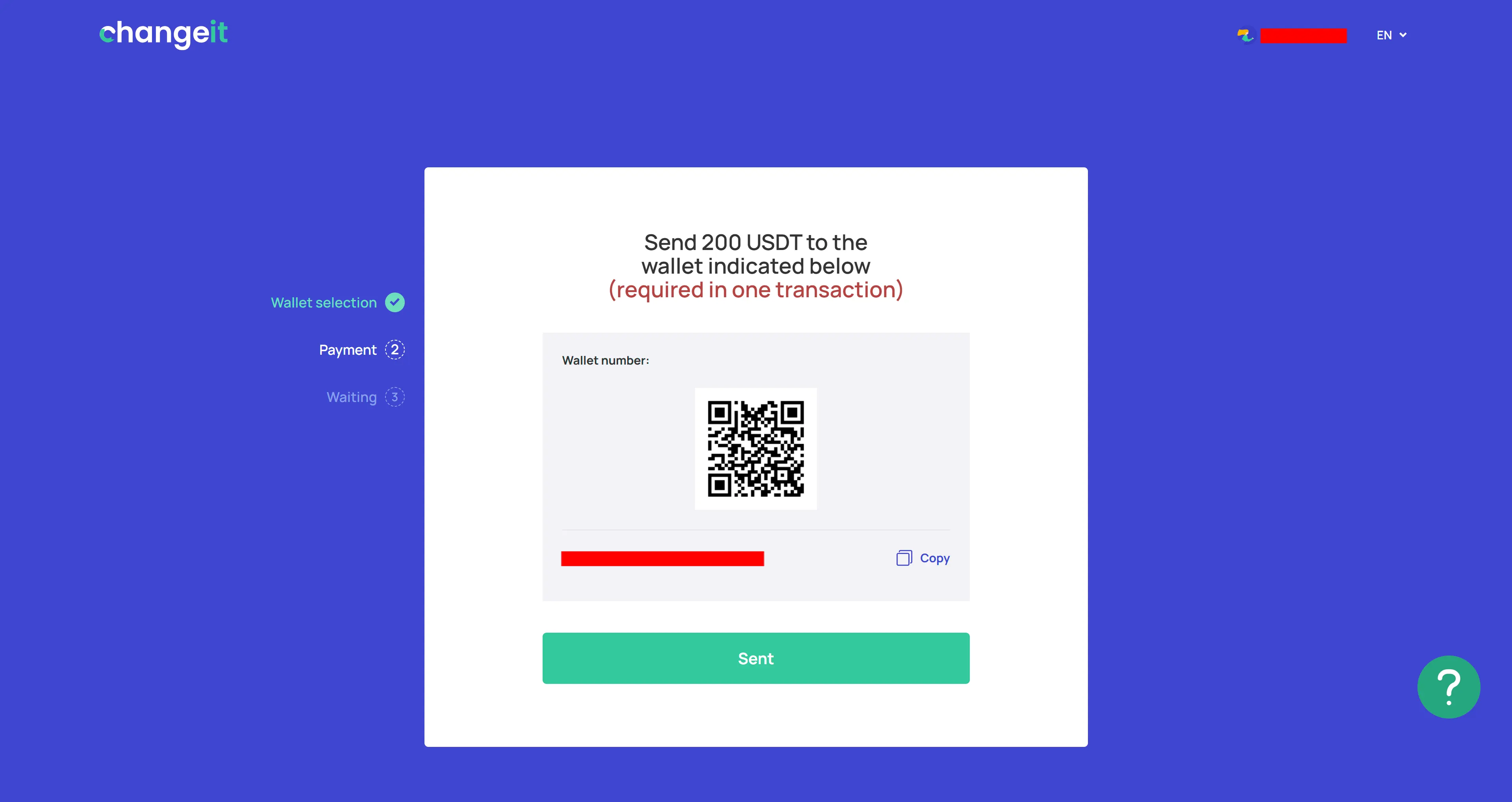
After transferring the crypto, press the confirmation button labelled “Sent”; the order then moves to “Waiting.” The rate is fixed when the order is created, and the order remains valid for about 12 hours. A later payment may be returned to its sending address after transfer costs are deducted.
You can first
compare USDT TRC20 to Privat24 offers, then
open ChangeIt with the route and amount selected.
When does ChangeIt process payouts and answer support requests?
UAH payouts are processed daily from 08:00 to 23:00, while support is available from 09:00 to 19:00 Kyiv time. Customers can contact [email protected], use Telegram or send the form on the contacts page.
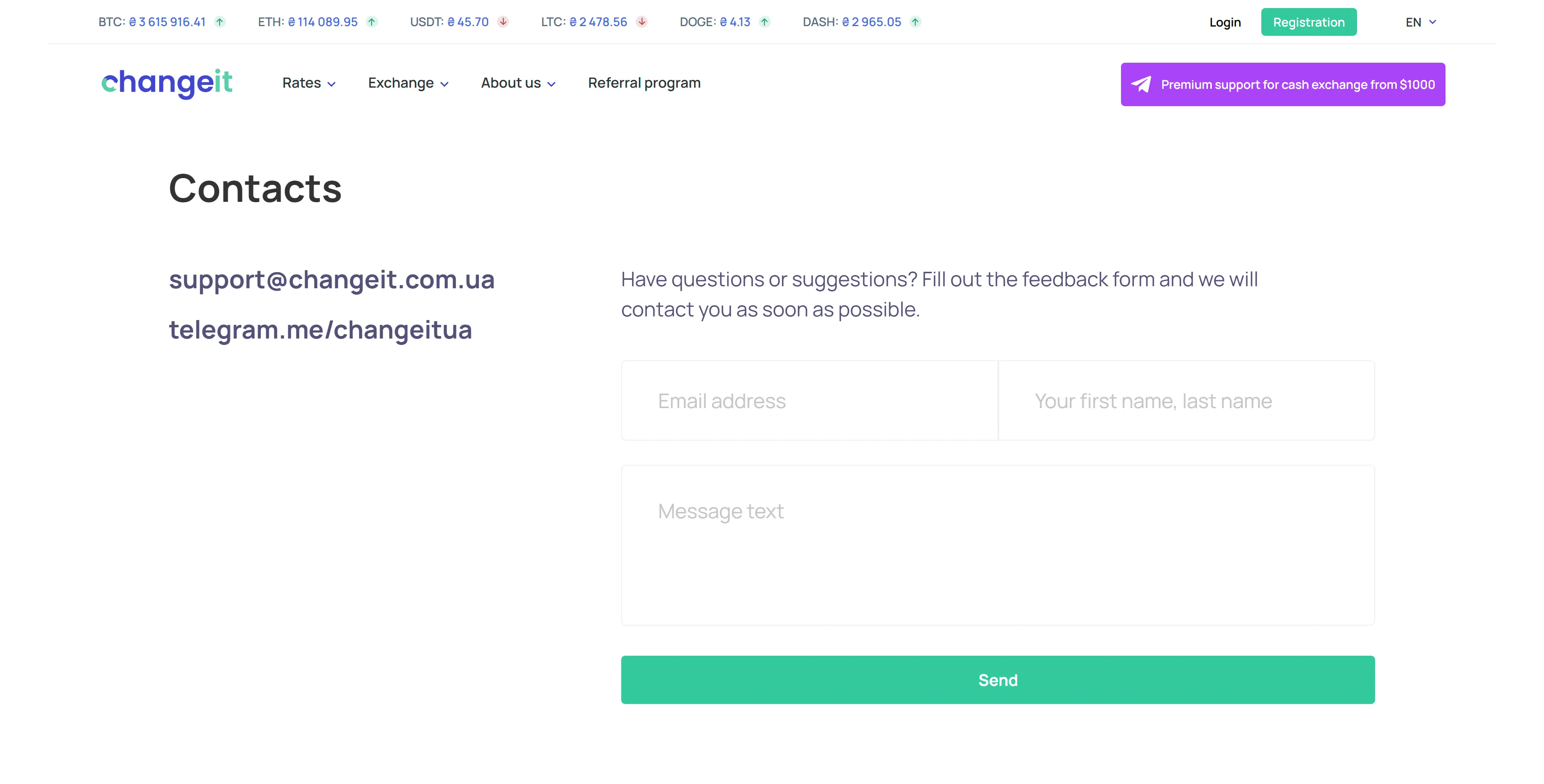
ChangeIt states a reply time of 15–30 minutes on weekdays and 1–2 hours on weekends and public holidays, within support hours. Messages sent after 19:00 are handled the next day. Include the order number, route, amount and transaction hash so the operator can identify the payment.
When can ChangeIt request KYC or suspend a transfer?
KYC is used for identity checks and transactions with elevated AML risk. ChangeIt’s policy permits requests for a domestic or international passport, an ID card, a bank statement, evidence of the source of assets or video verification. High-risk categories include funds associated with mixers, scams, theft, darknet markets and illegal gambling.
For a flagged transaction, ChangeIt may pause the order, request documents or return the assets only to their sending address after deducting a fee. If the amount sent exceeds the order amount by more than 10%, the terms allow the transaction to be cancelled and the funds returned. The address, network and amount therefore need to match the payment instructions exactly.
How does a ChangeIt cash exchange work?
ChangeIt arranges cash transactions separately through Telegram, starting from the equivalent of 1,000 USD. Crypto can be exchanged for UAH, USD or EUR in Ukrainian cities. This service does not use the card-order widget, so the city, rate, venue and meeting time need to be agreed with an operator in advance.
What does a ChangeIt account provide?
The widget can calculate a rate without signing in, while an account provides access to order history, profile settings and bonuses. Registration asks for a Ukrainian phone number, email and password, together with acceptance of the terms and privacy policy.
How do you register with ChangeIt?
Creating an account requires three registration fields and acceptance of the service terms. Once registered, the user signs in with the email address and password supplied.
-
Complete the registration form. Visit the ChangeIt website, select “Registration,” enter a phone number beginning with +380, an email address and a password, then accept the terms of use and privacy policy.
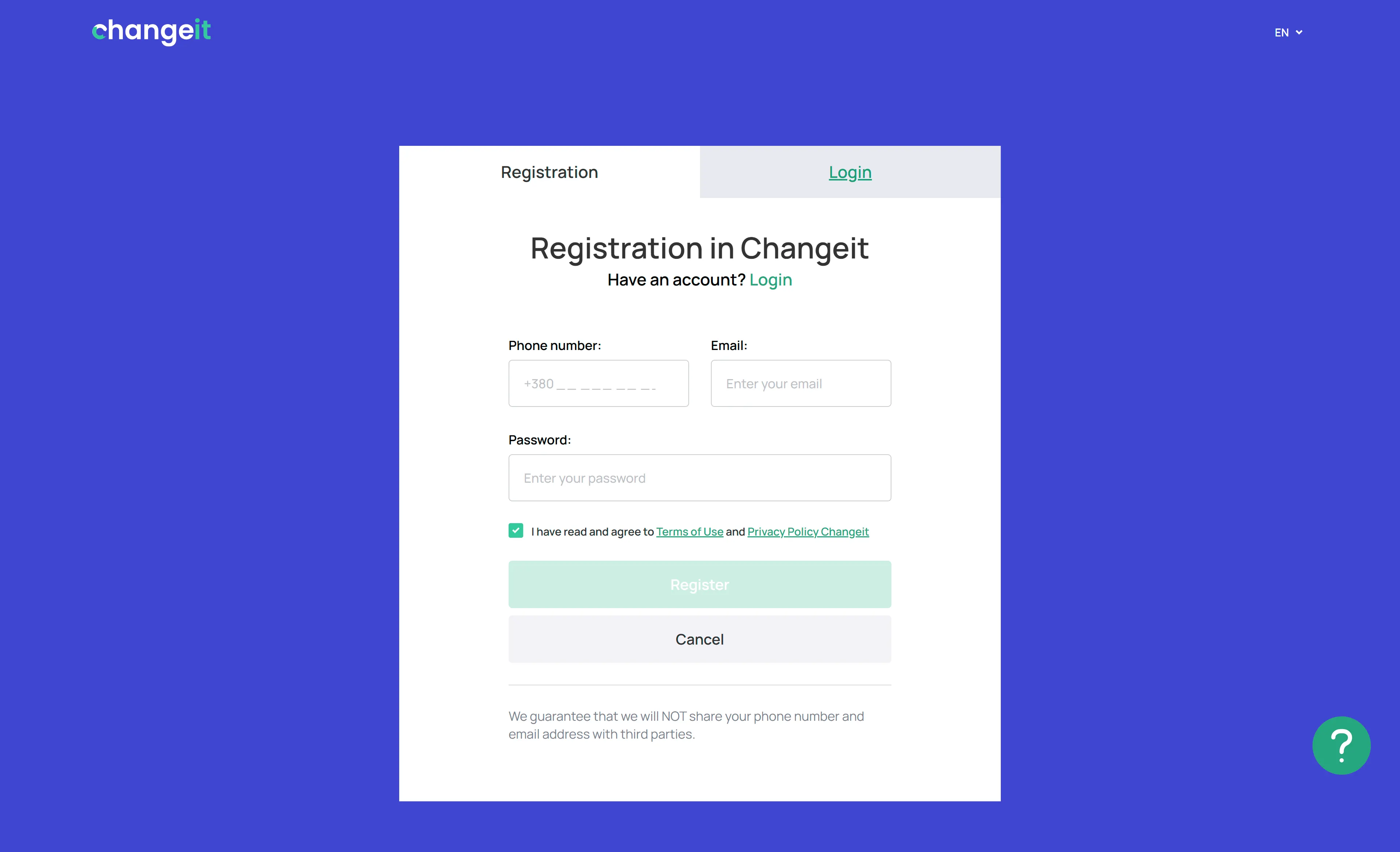
The three details required to create a ChangeIt account Check the email address before submitting it because the same address is used for subsequent sign-in and password recovery.
-
Sign in to the account. Enter the registered email and password on the login page. A recovery link below the fields is available if the password is lost.
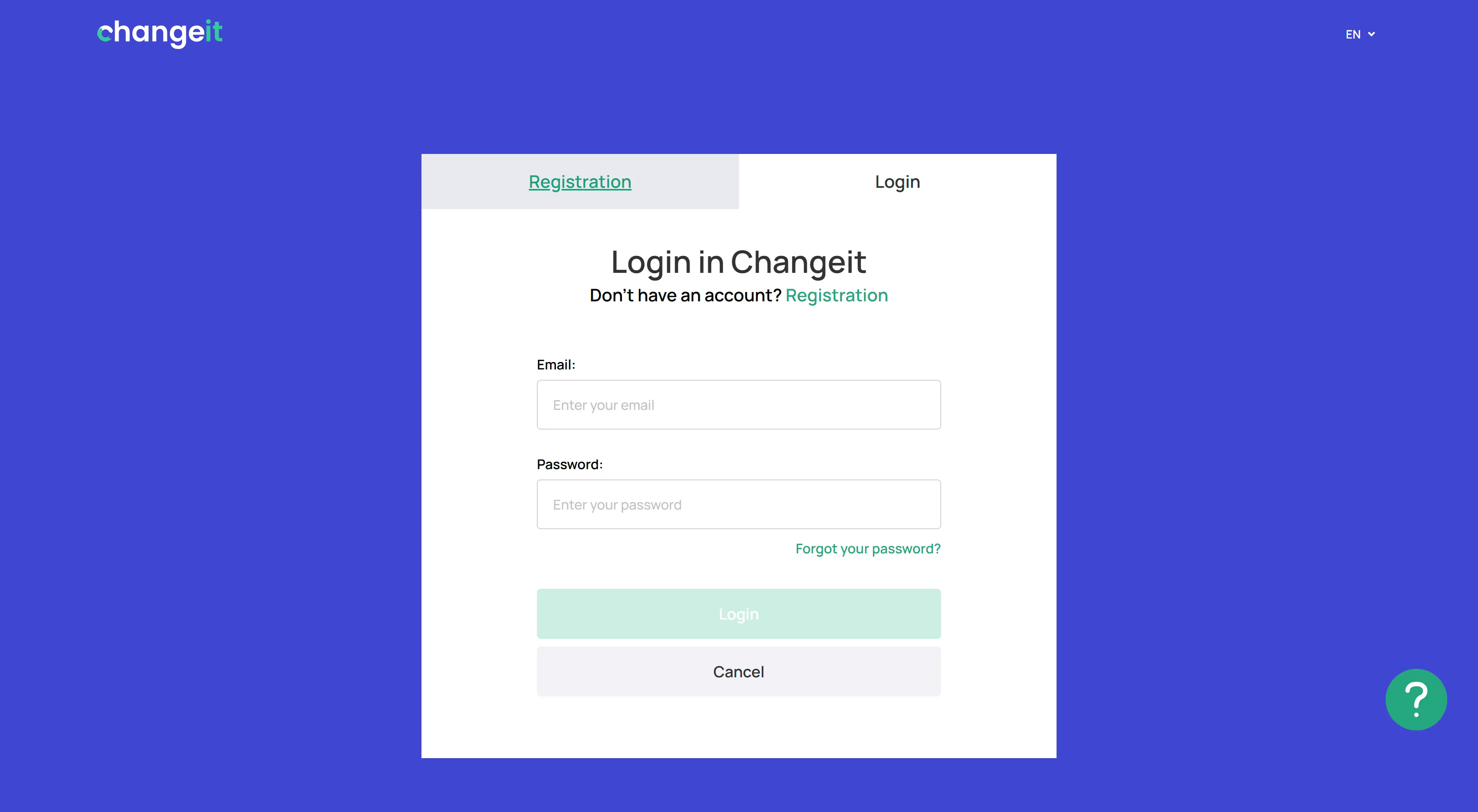
Account access uses the registered email address and password After login, the profile, settings, transaction history and bonus section become available.
Registration does not prevent a transaction-specific review. If AML screening flags a transfer, ChangeIt can request further documents.
What information does ChangeIt request for KYC?
The profile form asks for the customer’s full name, citizenship, date of birth, document type and issuing country. To complete verification, it also requests a selfie with a passport or ID card and an image of the document’s reverse side in JPEG or PNG.
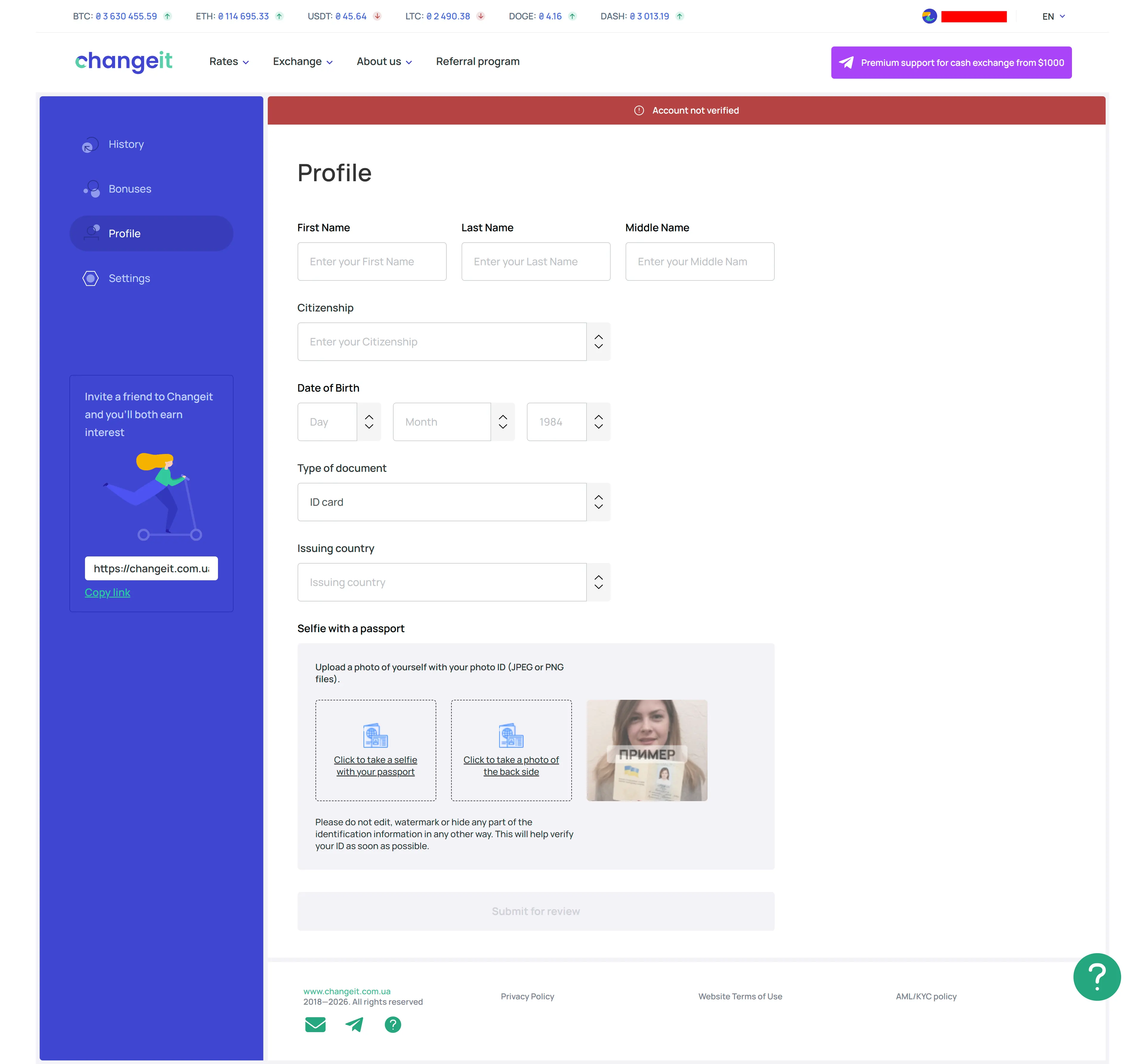
Until the form is approved, the profile displays “Account not verified.” Clear images of a valid document should match the personal details entered in the form.
What is available inside the ChangeIt account?
The account menu contains Profile, Settings, History, Bonuses and Logout. Previous transactions appear in History, while the “Bonuses” section shows credits associated with the referral program.
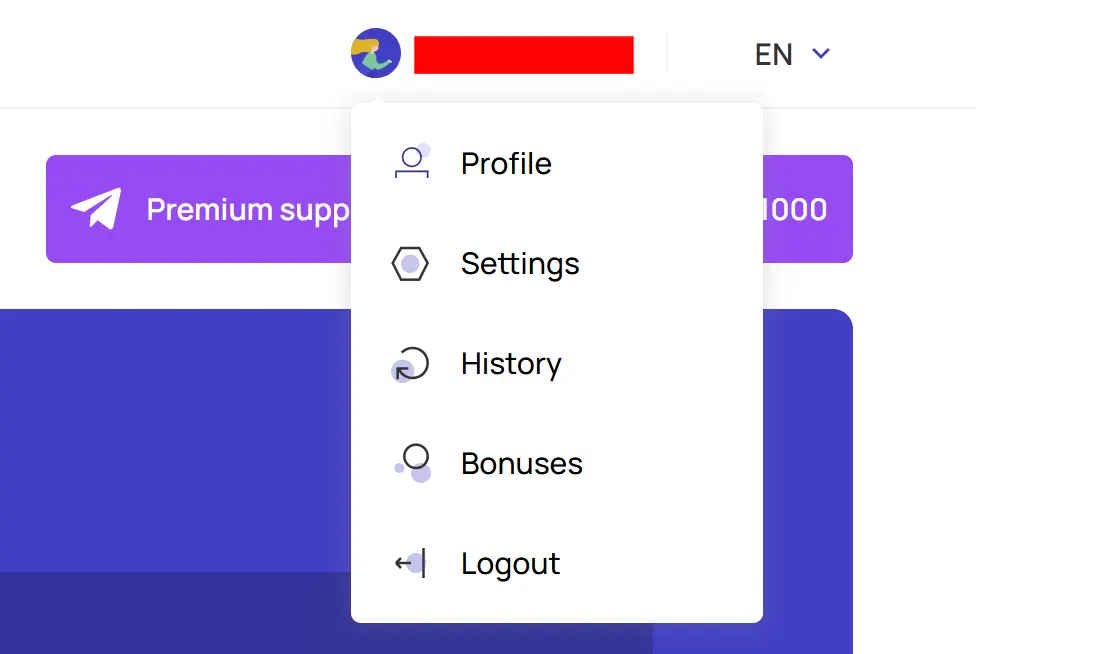
Keeping the order number and status in History is useful when a previous transaction needs to be discussed with support.
How does the ChangeIt referral program calculate rewards?
Registered users receive an individual invitation link and can track bonuses in their account. The published page is inconsistent: its second step says rewards equal 1% of referred users’ transaction amounts, while the main illustration displays 0.2%.
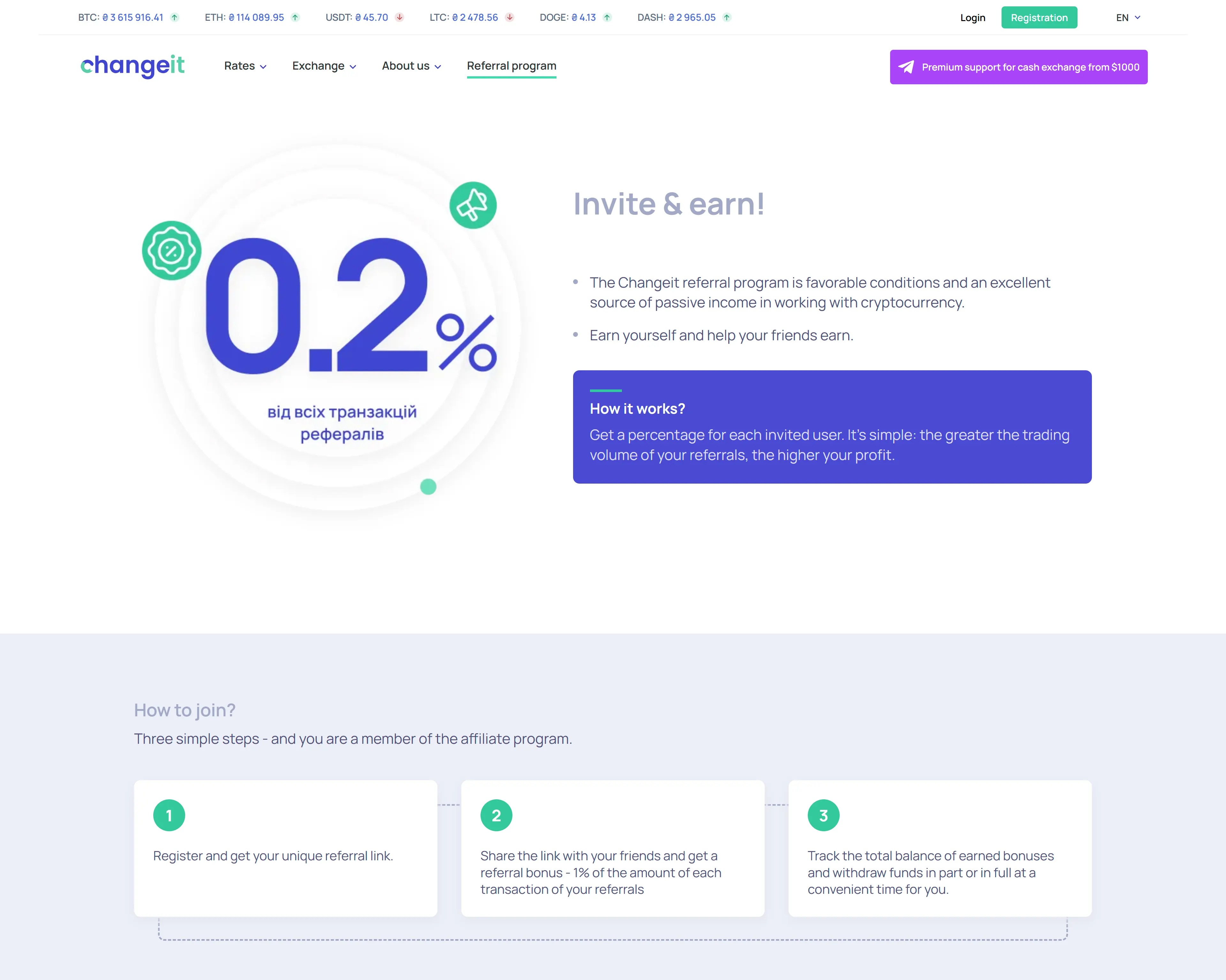
Confirm the current percentage in the Bonuses section or with support before estimating a reward; the two published values do not support an unambiguous calculation.
Who is ChangeIt suitable for?
ChangeIt suits USDT TRC20 payouts to Ukrainian cards within the
2,000–50,000 UAH order range when the receive amount, payout schedule and
KYC rules need to be visible in advance.
Funding an order still requires exact agreement between its network, amount
and address; cash transactions from 1,000 USD follow a separate support route.
Before transferring USDT, compare the
current USDT TRC20 to Privat24 offers
from ChangeIt and other
online exchangers. If the ChangeIt payout
works for you,
continue with the selected route and amount
and verify the final order calculation once more.
FAQ
The platform fee is 4% per transaction, at least 50 UAH; USDT TRC lists a 1 USDT withdrawal line. Compare the Receive amount, not only the percentage.
Compare live receive amounts
OnExchanger shows what you get — then you leave to the partner.